




Salesforce CPQ is not simply becoming Salesforce Revenue Management under a new name. That distinction matters for developers.
Salesforce CPQ is a managed package installed on top of the Salesforce platform. Salesforce has ended new sales of CPQ, but that doesn’t mean CPQ has reached end of life. Existing customers can continue using the product, renewing licenses, adding users, and receiving support. Salesforce has not announced an end-of-life date for existing CPQ customers.
Revenue Management takes a different architectural approach. It’s native to the Salesforce platform, uses a different data model, provides API-first revenue capabilities, introduces declarative pricing and constraint-based configuration, and is designed to support broader revenue processes and channels.
That means a CPQ implementation cannot simply be “upgraded” into Revenue Management. Salesforce Revenue Management is the successor to Salesforce CPQ, but it isn’t a CPQ upgrade. CPQ uses a managed-package architecture, while Revenue Management uses Salesforce-native objects, API-first services, declarative pricing, and a composable architecture.
First, Is Salesforce CPQ Being Discontinued?
The short answer is: not in the sense many customers assume.
End of Sale ≠ End of Life
Salesforce CPQ is end of sale for new customers, but Salesforce distinguishes that from end of life. Existing customers can continue using CPQ, renew their licenses, add users, and receive support. Salesforce’s current guidance doesn’t provide an end-of-life date for CPQ.
This creates an important distinction:
CPQ is no longer the strategic decision for new revenue-management deployments, but it remains a supported product for existing customers.
What Existing CPQ Customers Can Still Do
Organizations with established CPQ implementations can continue to:
- Run existing quoting processes
- Renew CPQ licenses
- Add users
- Maintain customizations
- Support existing integrations
- Operate existing sales and contracting processes
Salesforce also provides migration guidance specifically for organizations that want to transition from CPQ to Revenue Management.
Where Salesforce Is Investing Now
Salesforce describes Revenue Management as a native platform that brings together revenue lifecycle capabilities and requires changes to architecture, data modeling, business processes, and governance. Salesforce explicitly says it’s not simply the next version of Salesforce CPQ.
Salesforce CPQ vs Revenue Management at a Glance
The differences become clearer when viewed from a developer’s perspective.
| Area | Salesforce CPQ | Revenue Management |
|---|---|---|
| Architecture | Managed packaged | Salesforce-native |
| Product Modeling | SKU/bundle based | Attribute-based |
| Pricing | Rules-based | Pricing procedures/elements |
| Pricing Execution | Primarily application/browser-oriented | Server-side, API-driven |
| Configuration | Bundles, options, product rules | Constraint-based configuration |
| APIs | CPQ-specific APIs | API-first/headless |
| Revenue Models | One-time and subscription-focused | One-time, subscription, consumption, and hybrid |
| Orders | Quote-to-order | Broader order orchestration |
| Assets | CPQ/contract-oriented lifecycle | Asset-based lifecycle |
| Customization | QCP, plug-ins, Apex, price rules | Declarative configuration, APIs, Flow and Apex extension points |
| AI | Limited native agent architecture | Agentforce-oriented |
| Architecture Style | More tightly coupled | Composable |
Salesforce’s own migration documentation highlights differences in data models, pricing, product configuration, APIs, customization, contracts, orders, billing, and AI.
The Biggest Change: Managed Package to Salesforce-Native Architecture
This is arguably the most important architectural difference developers need to understand.
How Salesforce CPQ Is Architected
Salesforce CPQ sits on top of Salesforce as a managed package. That means developers working with CPQ encounter package-specific objects such as:
- SBQQ__Quote__c
- SBQQ__QuoteLine__c
- SBQQ__ProductOption__c
- SBQQ__ProductRule__c
They also work with CPQ-specific APIs, managed-package behavior, the Quote Line Editor, price rules, QCPs, plug-ins, and the CPQ calculation engine.
For example, the CPQ Developer Guide exposes the SBQQ/ServiceRouter pattern for interacting with CPQ APIs and quote calculation services. The resulting architecture is heavily centered around the CPQ application and quoting experience.
How Revenue Management Is Architected
Revenue Management moves these capabilities toward Salesforce-native architecture. Salesforce describes Revenue Management as:
- Native to Salesforce
- API-first
- Headless-capable
- Composable
- Built around standard Salesforce data and security models
- Designed to expose revenue processes as reusable business capabilities
The same product, pricing, and transaction logic can therefore support direct sales, partner channels, self-service experiences, and other applications instead of being tied primarily to a particular quoting UI.
Why Developers Should Care
The architectural mindset changes. With CPQ, the question is often:
“How do I customize the quoting package?”
With Revenue Management, the better question becomes:
“How do I compose Salesforce revenue capabilities into the business process?”
The Data Model Changed
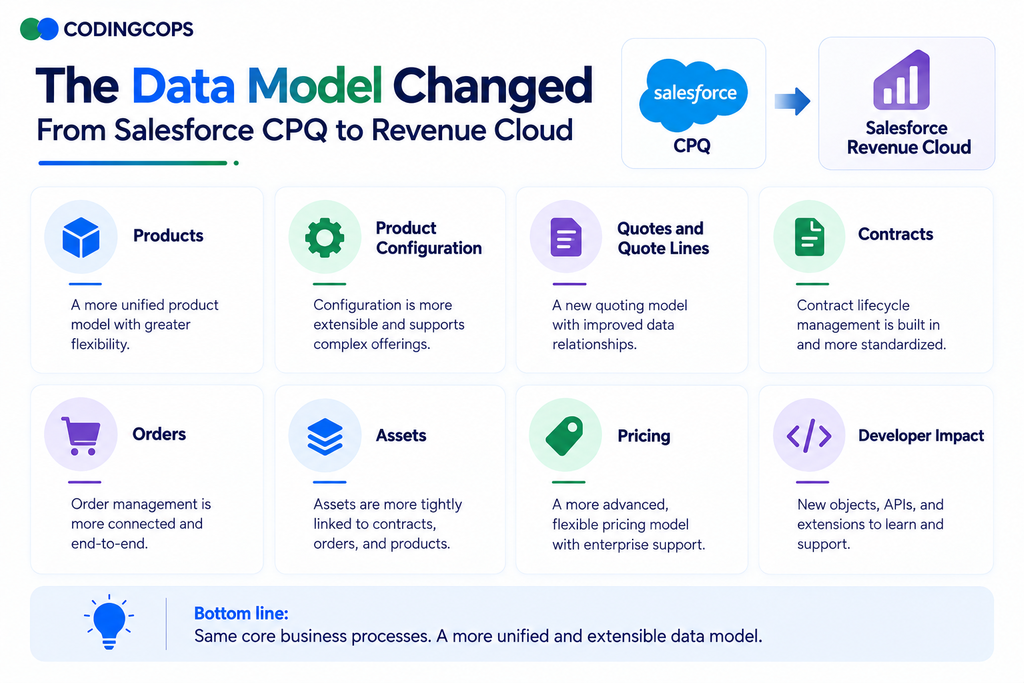
One of the biggest migration mistakes is assuming that every CPQ object has a direct Revenue Management equivalent.
Salesforce explicitly identifies the data-model transition as a major architectural consideration: CPQ uses custom objects, while Revenue Management uses standard Salesforce objects.
Developers should therefore expect differences across:
Products
Revenue Management expands product modeling around attributes, product catalog structures, and selling models rather than relying only on traditional CPQ SKU and bundle structures.
Product Configuration
CPQ configuration revolves around bundles, options, and product rules. Revenue Management introduces constraint models and the Constraint Rules Engine, including Constraint Modeling Language, for complex configuration relationships.
Quotes and Quote Lines
CPQ is strongly quote-centric, with dedicated CPQ quote and quote-line objects. Revenue Management uses a broader transaction model designed to support quotes, orders, contracts, assets, and related revenue processes.
Contracts
Revenue Management provides a more integrated contract lifecycle architecture rather than treating quoting as the center of the process.
Orders
Revenue Management expands the role of orders into orchestration and downstream fulfillment.
Assets
Assets become particularly important because Revenue Management uses asset lifecycle information to support amendments, renewals, cancellations, and other post-sale processes.
Pricing
Pricing logic moves from CPQ-specific rule structures into Revenue Management pricing procedures, pricing elements, and related constructs.
Developer Impact
| CPQ Concept | Revenue Management Approach | Developer Impact |
|---|---|---|
| Product Bundle | Product catalog + attributes + configuration constraints | Redesign catalog logic |
| Quote | Native revenue transaction model | Rework integrations and automation |
| Quote Line | Transaction item model | Rebuild queries and mappings |
| Contract | Salesforce-native contract lifecycle | Reassess contract automation |
| Subscription | Product selling models and lifecycle | Redesign subscription logic |
| Asset | Native asset lifecycle | Rework amendment/renewal processes |
| Pricing Rule | Pricing procedures/elements | Reimplement pricing logic |
Pricing Architecture Changed Significantly
Pricing is another area where copying existing CPQ logic can create unnecessary technical debt.
Salesforce CPQ Pricing
Traditional CPQ implementations commonly use:
- Price Rules
- Discount Schedules
- Block Pricing
- Subscription pricing
- Custom calculation logic
- QCPs
- Apex
- Sequential rule execution
Over time, organizations can accumulate hundreds of interdependent rules and custom scripts.
Revenue Management Pricing
Revenue Management introduces a different model based on:
- Pricing procedures
- Pricing elements
- Pricing waterfalls
- Attribute-based adjustments
- Volume-based adjustments
- Subscription pricing
- Consumption pricing
- Multi-dimensional pricing
Salesforce’s documentation specifically identifies pricing procedures, pricing elements, multi-dimensional pricing, and multiple revenue models as major differences from CPQ.
This matters because developers shouldn’t automatically translate every CPQ price rule into another piece of custom code. A better choice is to ask:
Can the requirement now be handled declaratively?
What Happens to Quote Calculator Plugins?
For many CPQ developers, QCP is one of the biggest migration concerns. The traditional pattern often looks like:
Revenue Management moves toward:
Salesforce identifies declarative pricing procedures and pricing elements, together with Apex pre-hooks and post-hooks, as part of the Revenue Management customization model.
The important lesson is not that QCP has simply been replaced by another programming mechanism. It’s that developers should not recreate every QCP customization line-for-line.
For every existing QCP, ask:
- Why was this customization created?
- Is the business requirement still valid?
- Does Revenue Management now support it natively?
- Can pricing configuration handle it?
- Can Flow handle the surrounding automation?
- Is Apex genuinely required?
That process can eliminate significant technical debt.
Product Configuration Has Changed Too
Product configuration is another area where the conceptual model is different.
CPQ
CPQ commonly relies on:
- Bundles
- Options
- Product Rules
- Configuration Rules
- Option Constraints
This works well for structured product catalogs but can become difficult to maintain as configurations become increasingly complex.
Revenue Management
Revenue Management introduces an attribute-driven catalog and constraint-based configuration. Its Constraint Rules Engine can use constraints and if-then rules to represent complex relationships between products and configuration choices. Developers can work with Constraint Modeling Language when code-level constraint definitions are appropriate.
APIs Become Much More Important
The architectural shift can be summarized as:
Legacy Pattern
Modern pattern
Salesforce describes Revenue Management as API-first and headless, with revenue functionality exposed through business APIs.
This creates opportunities for:
- Salesforce sales applications
- Partner portals
- Ecommerce
- Self-service
- Mobile applications
- External applications
- AI agents
The key architectural benefit is that the same underlying pricing and product logic can be reused across channels instead of being duplicated in multiple applications.
What Changed for Apex Developers?
Less Dependence on Managed-Package Internals
Developers should rely less on package-specific implementation patterns and more on platform-native capabilities.
More Declarative Business Logic
Pricing procedures, configuration, Flow, and other declarative tools can handle requirements that previously required code.
Apex Pre-Hooks and Post-Hooks
Where custom logic is genuinely required, Revenue Management provides Apex extension points around supported processes.
Flow-Based Automation
Flow becomes increasingly important for orchestration surrounding revenue processes.
API-Oriented Integrations
Instead of building integrations around UI behavior, developers can design around business APIs.
Standard Salesforce Data Model
Standard objects also make broader Salesforce integrations and platform capabilities easier to reason about.
Agent-Callable Actions
Revenue Management is designed to work with Agentforce. Salesforce says its agents operate against the same revenue architecture and can perform tasks such as quote management, consumption-related work, and billing inquiries.
The developer principle is simple:
Use Apex where custom code adds value, not where native Revenue Management already solves the problem.
What Changed for Integration Developers?
The integration architecture becomes broader than quote-to-order. Revenue Management can sit across multiple selling channels and downstream revenue systems.
A modern architecture might look like:
This architecture works particularly well with REST APIs, MuleSoft, event-driven integrations, ERP platforms, billing systems, and external commerce applications. The objective is to centralize revenue logic instead of building pricing and configuration rules in every channel.
Revenue Models Go Beyond Traditional CPQ
Traditional Salesforce CPQ is primarily associated with configuring products, calculating prices, and generating quotes for one-time or subscription-based sales. Revenue Management expands this model to support more flexible monetization strategies, allowing businesses to manage different revenue models across the customer lifecycle.
One-Time Sales
Revenue Management supports traditional product sales where customers make a single purchase. Developers can model products, pricing, discounts, configurations, quotes, and orders without requiring recurring billing logic.
Subscription
Subscription models allow businesses to sell products or services through recurring charges. Revenue Management supports subscription lifecycles, including activation, amendments, renewals, and cancellations, while connecting those transactions with contracts and assets.
Consumption-Based Pricing
Consumption-based pricing charges customers according to how much of a product or service they actually consume. This is useful for cloud services, telecommunications, utilities, and other usage-driven businesses where revenue depends on actual consumption rather than a fixed subscription fee.
Usage-Based Models
Usage-based models allow organizations to track measurable customer activity and incorporate that information into pricing and revenue processes. Developers can support usage tiers, allowances, quantities, and other variables that influence what customers ultimately pay.
Hybrid Pricing
Hybrid models combine multiple commercial structures within a single offering, for example, a fixed subscription combined with usage-based charges. Revenue Management makes it possible to support these more complex pricing strategies without creating separate, disconnected processes for every revenue component.
Omnichannel Selling
Revenue Management is designed to support revenue processes across multiple channels, including direct sales, ecommerce, partner portals, self-service experiences, and AI agents. An API-first architecture allows these channels to use consistent product, configuration, pricing, quoting, and ordering logic rather than duplicating business rules across applications.
Where Agentforce Changes the Developer Conversation?
This is one of the most important differences for Salesforce developers. Revenue Management is being designed with AI agents in mind.
Salesforce’s Agentforce for Revenue Management includes capabilities for quote creation and management, consumption-related activities, and billing inquiries. That changes the architecture.
Instead of building an AI agent that attempts to reproduce what a salesperson does through a CPQ interface, developers can increasingly expose governed business actions and APIs.
An agent can interact with revenue capabilities such as:
- Products
- Pricing
- Quotes
- Orders
- Contracts
- Assets
- Consumption
- Billing information
The architectural implication is important:
AI agents need business capabilities, not UI automation.
An API-first revenue architecture provides a much stronger foundation for that model.
Can Salesforce CPQ and Revenue Management Run Together?
Salesforce documents coexistence between Revenue Management and Salesforce CPQ in the same Salesforce org when the required products are provisioned. During coexistence, CPQ can continue supporting its existing functionality while Revenue Management users can create quotes, orders, and contracts and manage assets through amendments, renewals, and cancellations.
This is significant for migration planning. Organizations don’t necessarily need to execute a single big-bang cutover.
Salesforce’s migration guidance explicitly anticipates a period where CPQ and Revenue Management are both active and recommends defining which system owns each process during each migration phase.
Why CPQ → Revenue Management Is Not a Normal Upgrade
Don’t frame the project as:
A better model is:
Salesforce describes the transition as an architectural shift involving changes to data models, business processes, integrations, and governance.
Salesforce does document a “full migration or lift and shift” approach for simpler organizations that want functional parity quickly. However, even that approach involves recreating configuration and migrating data rather than applying a conventional product upgrade. Salesforce warns that minimizing redesign can leave technical debt and limit the benefits of the newer platform.
What Developers Need to Audit Before Migration?
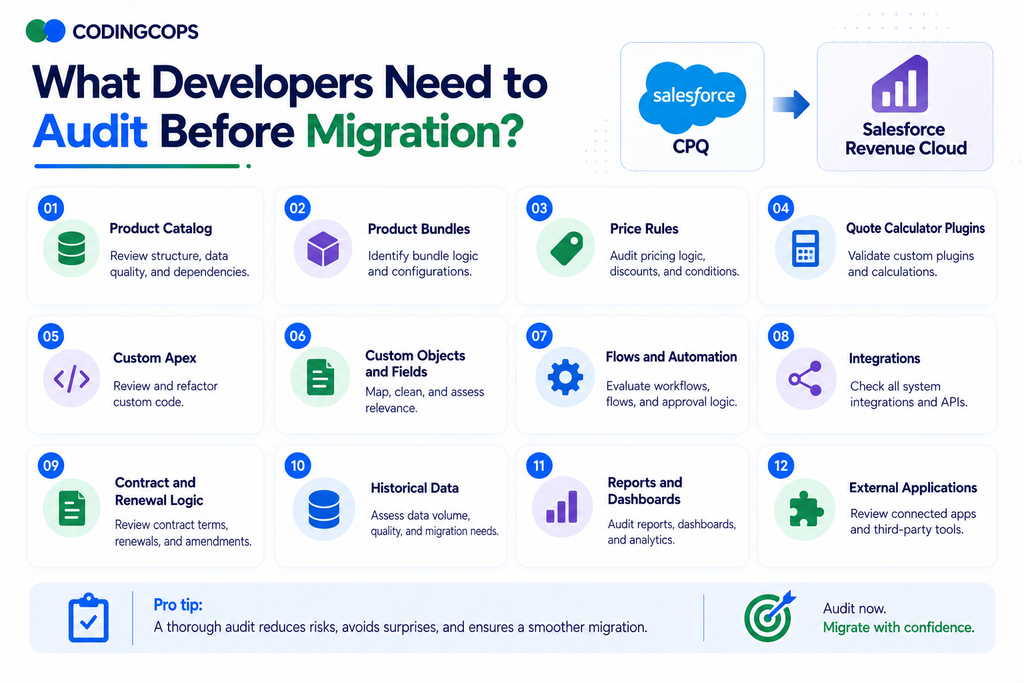
A successful CPQ-to-Revenue Management migration starts with a detailed technical audit. Developers should identify not only what exists, but why each customization exists and whether it should be rebuilt, replaced, redesigned, or retired.
1. Product Catalog
Review products, SKUs, attributes, product families, pricing structures, and catalog dependencies. Identify duplicate or obsolete products that should not be carried into the new architecture.
2. Product Bundles
Document bundles, options, configuration rules, dependencies, and exclusions. Determine which relationships can be represented using Revenue Management’s attribute and constraint-based configuration model.
3. Price Rules
Inventory price rules, discount schedules, block pricing, conditions, and execution sequences. For each rule, determine whether it should become a pricing procedure, declarative configuration, or custom extension.
4. Quote Calculator Plugins
Review every QCP and identify the business requirement behind its code. Some custom calculations may need to be rebuilt, while others can potentially be replaced by Revenue Management’s native pricing capabilities.
5. Custom Apex
Catalog Apex triggers, classes, controllers, batch jobs, and CPQ-related services. Separate genuinely required business logic from code that exists only to work around limitations of the legacy architecture.
6. Custom Objects and Fields
Identify custom objects and fields that support CPQ processes, integrations, reporting, or historical data. Map required information to the Revenue Management data model and retire unnecessary structures.
7. Flows and Automation
Review Salesforce Flows, workflow dependencies, approval processes, triggers, and scheduled automation. Pay particular attention to automation that assumes CPQ-specific objects, fields, or transaction sequences.
8. Integrations
Document connections to ERP billing, tax, payment, ecommerce, middleware, and other systems. Identify integrations that depend directly on CPQ objects or APIs and determine how they will work with Revenue Management’s API-first architecture.
9. Contract and Renewal Logic
Audit amendments, renewals, cancellations, co-termination, subscription changes, and asset relationships. These processes often contain complex custom logic that requires careful redesign rather than simple data migration.
10. Historical Data
Determine which quotes, contracts, orders, assets, subscriptions, and pricing records must be migrated for operational or compliance reasons. Avoid moving obsolete data simply because it exists in the CPQ org.
11. Reports and Dashboards
Identify reports, dashboards, formulas, and analytics built on CPQ-specific objects. Because Revenue Management uses a different data model, these assets will often need to be redesigned against the new objects and relationships.
12. External Applications
List every external application that reads or writes CPQ data, including custom portals, ecommerce platforms, mobile applications, and internal tools. Verify whether each integration needs new APIs, authentication, data mappings, or transaction flows after migration.
Don’t Migrate Every CPQ Customization
| Existing CPQ Logic | Migration Decision |
|---|---|
| Still Required | Rebuild |
| Native Capability Now Exists | Replace |
| Business Process Has Changed | Redesign |
| No Longer Used | Retire |
| Can Become Declarative | Reconfigure |
Salesforce CPQ to Revenue Management Migration Roadmap
A CPQ-to-Revenue Management migration should be treated as an architecture transformation rather than a package upgrade. A phased approach reduces business disruption while giving developers opportunities to eliminate unnecessary technical debt.
Phase 1: Inventory the Existing CPQ Environment
Document the current CPQ implementation, including products, bundles, pricing rules, QCPs, Apex, Flows, objects, integrations, contracts, assets, reports, and external applications. Establish a complete baseline before designing the replacement.
Phase 2: Assess Custom Logic
Review every customization and identify the business requirement it supports. Classify each component as rebuild, replace, redesign, reconfigure, or retire based on Revenue Management’s native capabilities.
Phase 3: Design the Future-State Architecture
Define how products, pricing, configuration, quotes, orders, contracts, assets, billing, integrations, and AI agents will work together. Establish system ownership and integration boundaries before development begins.
Phase 4: Map the New Data Model
Create detailed mappings between CPQ objects and Revenue Management’s data model. Review fields, relationships, dependencies, historical records, validation requirements, and data-quality issues rather than assuming direct one-to-one mappings.
Phase 5: Rebuild Product and Pricing Logic
Redesign the product catalog, selling models, configuration constraints, pricing procedures, and pricing elements. Replace legacy custom logic with declarative capabilities wherever they satisfy the business requirements.
Phase 6: Rework Integrations
Update ERP, billing, ecommerce, tax, payment, middleware, and other integrations to work with the new architecture and APIs. Test both data synchronization and end-to-end transaction flows.
Phase 7: Migrate Required Data
Migrate only the data required for ongoing operations, compliance, reporting, and customer lifecycle management. Validate records, relationships, pricing information, contracts, subscriptions, and assets after migration.
Phase 8: Test Revenue Scenarios
Test realistic scenarios rather than isolated features. Include product configuration, discounts, pricing, quotes, orders, amendments, renewals, cancellations, consumption, contracts, integrations, and downstream financial processes.
Phase 9: Plan Coexistence and Cutover
If CPQ and Revenue Management will operate together, define which system owns each process and how data moves between them. Establish cutover dates, user readiness, rollback procedures, and production support processes.
Phase 10: Optimize After Launch
Monitor performance, transaction accuracy, integrations, user adoption, and revenue processes after deployment. Remove unnecessary legacy components and progressively adopt native Revenue Management, Flow, API, and Agentforce capabilities.
Should Existing Salesforce CPQ Customers Migrate Now?
Consider Staying on CPQ When:
- The implementation is stable.
- Existing customizations work reliably.
- Business requirements are not changing significantly.
- There is little need for new revenue models.
- Current integrations are performing well.
- There is no compelling transformation business case.
There is currently no forced migration because CPQ remains supported for existing customers.
Consider Revenue Management When:
- CPQ technical debt is increasing.
- Pricing complexity is growing.
- Consumption-based models are required.
- Hybrid monetization is becoming important.
- Omnichannel selling matters.
- Headless/API-first experiences are required.
- Revenue processes need modernization.
- Agentforce is part of the technology roadmap.
What Salesforce Developers Should Learn Next?
Developers working with CPQ today should begin building expertise in:
- Revenue Management data model
- Product catalog architecture
- Pricing procedures
- Pricing elements
- Constraint modeling
- Salesforce Flow
- Revenue APIs
- Order and asset lifecycle
- Integration architecture
- Agentforce development patterns
The most valuable skill will not be knowing how to recreate CPQ functionality.
How CodingCops Helps with CPQ and Revenue Management?
A successful transition requires more than moving records from one set of objects to another. It requires understanding why the existing architecture works the way it does and determining what the future revenue platform should look like.
CodingCops can support organizations across:
- Salesforce CPQ assessment
- Technical debt audit
- Revenue architecture consulting
- CPQ-to-Revenue Management migration
- Product catalog redesign
- Pricing architecture
- Custom Salesforce development
- ERP and billing integrations
- Data migration
- Agentforce integration
- Testing and cutover
- Post-migration optimization
The focus should be modernization rather than simply reproducing an existing CPQ environment inside Revenue Management.
Conclusion
Salesforce CPQ to Revenue Management migration is an architecture transformation, not a simple upgrade. Organizations should evaluate existing customizations, redesign data and pricing models, modernize integrations, and adopt native capabilities wherever possible. A thoughtful migration preserves essential business logic while reducing technical debt and creating a more scalable revenue foundation.