




According to research conducted by the University of Iowa, Salesforce has the highest market share of 21.7% in the CRM market. Many companies, after months of configuration and testing, go live with Salesforce. They quickly understand, though, that going live is only the beginning rather than the end.
Moreover, once real users begin working in the system, cracks start to show. Processes don’t flow as smoothly as expected. Furthermore, reports don’t quite answer leadership’s questions. Users revert to spreadsheets. Admins get flooded with quick fixes that turn into long term problems. This is where Salesforce optimization can help.
In this guide, we will discuss what Salesforce optimization really means and why many organizations struggle after going live. We will also discuss how to build a system that keeps improving over time.
Salesforce Optimization
Salesforce optimization is the process of improving performance, usability, data quality, and alignment with business goals after Salesforce has gone live.
Unlike the initial implementation, which focuses on getting the system up and running, optimization focuses on making Salesforce work better for real world use. Moreover, it addresses gaps between expected outcomes and actual results.
Optimization typically includes:
- Simplifying user experiences
- Aligning workflows with real business processes
- Improving automation reliability
- Cleaning data
- Enhancing reports and dashboards
Most importantly, Salesforce optimization is not a one time task. It’s an ongoing process that ensures Salesforce evolves as your business grows and teams change.
Organizations that invest in continuous optimization see:
- Higher user adoption
- Better decision making through accurate data
- Reduced admin overhead
- Stronger ROI from Salesforce licenses
Why Most Salesforce Organizations Struggle After Go Live?
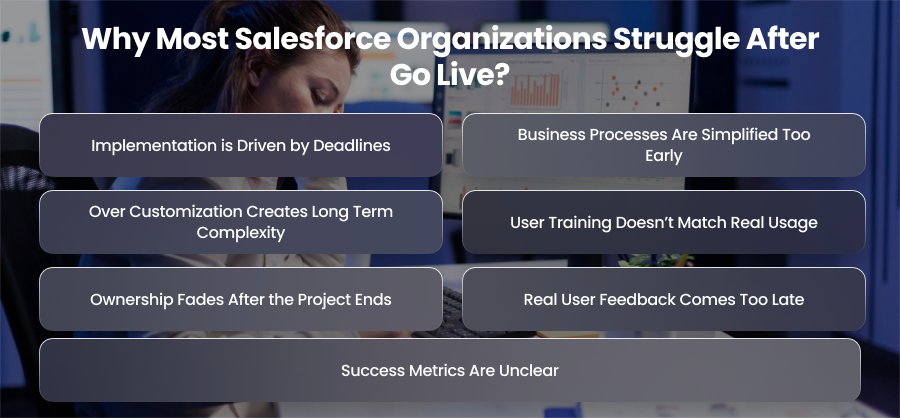
Implementation is Driven by Deadlines
Most Salesforce implementations are executed under intense time pressure. Businesses are eager to meet launch dates tied to targets or leadership commitments. As a result, teams prioritize getting Salesforce live rather than ensuring it is fully optimized.
Important choices pertaining to user experience and data architecture are frequently put off with the goal of resolving them later. Unfortunately, without a systematic optimization effort, these short term sacrifices become ingrained in day to day operations once the system is operational.
Business Processes Are Simplified Too Early
During implementation, business processes are frequently documented at a high level to speed up delivery. Edge cases and informal workflows are left out to avoid complexity. However, after going live, these exceptions become unavoidable.
Sales teams handle special data structures and marketing teams adjust campaigns on the fly. When Salesforce doesn’t support these realities, users are forced to create workarounds. Over time, Salesforce becomes a system people work around instead of work within.
Over Customization Creates Long Term Complexity
In an effort to satisfy every stakeholder request before launch, many organizations over customize Salesforce early on. Custom fields and triggers are added without sufficient real world usage data.
While this may create a sense of completeness at going live, it often leads to:
- Cluttered page layouts
- Slower system performance
- Conflicing automation
- Higher maintenance overhead
Instead of simplifying work, Salesforce becomes harder to use and even small changes require significant effort from admins.
User Training Doesn’t Match Real Usage
Training is usually delivered before going live using ideal scenarios and clean data. Once users begin working with live records and customer interactions, the gaps in training becomes obvious.
Users struggle with:
- Understanding why certain fields are mandatory
- Knowing how automation affects their actions
- Interpreting reports and dashboards correctly
Users lose faith in the system and turn back to well known tools like spreadsheets or email in the absence of continuous training and reinforcement.
Ownership Fades After the Project Ends
After going live, implementation teams disband and Salesforce ownership often becomes unclear. What was once a structured project turns into a series of ad hoc requests and quick fixes.
Without clear governance and prioritization:
- Enhancements are reactive instead of strategic
- Technical debt accumulates
- Optimization work is continuously postponed
Salesforce slowly drifts away from its original goals.
Real User Feedback Comes Too Late
True feedback only emerges when Salesforce is used under real business conditions. However, many companies lack a formal means to gather and act on this input.
Teams respond to individual grievances rather than seeing trends. This leads in inconsistent modifications and irritation on both the user and admin sides. Without a feedback driven optimization cycle, small usability issues grow into widespread adoption problems.
Success Metrics Are Unclear
Many companies struggle because success after going live is not clearly defined. This results in inconsistent changes and partial fixes on both the user and admin sides. Therefore, without defined success metrics, it becomes difficult to measure whether Salesforce is actually delivering value.
Signs Your Salesforce Needs Optimization
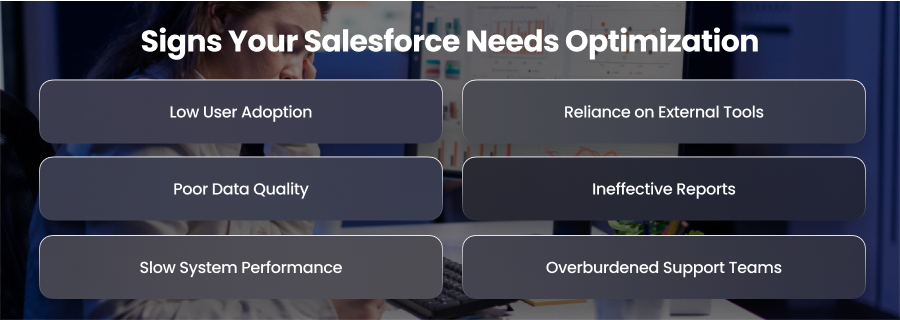
Low User Adoption
One of the most obvious indicators that Salesforce requires optimization is low or inconsistent user adoption. Users may only log in when absolutely necessary or give few updates if they consider Salesforce to be a duty rather than a tool. Managers frequently spend time pursuing team members for updates, and sales representatives may wait until the end of the week to input transaction details. This lack of involvement frequently refers to deeper issues or procedures that slow people down. If these problems are not resolved, Salesforce becomes a system that users avoid rather than depend on.
Reliance on External Tools
Another indicator that your Salesforce requires optimization is when teams continue using spreadsheets or other external tools to manage critical business processes. This often emerges when Salesforce doesn’t entirely support their workflows.
Salesforce’s value as the only source of truth is diminished when employees rely on external systems, causing data to become inaccurate. Optimization focuses on eliminating these gaps, ensuring that teams can conduct all key tasks directly inside Salesforce swiftly.
Poor Data Quality
Data quality concerns are a key warning indicator that Salesforce is failing. Incomplete fields and out-of-date data might build up over time, undermining user confidence. When users cannot rely on the accuracy of the system, they are more likely to rever to manual processes or external tracking techniques. Poor data quality affects reporting accuracy and reduces the ROI of your Salesforce investment.
Ineffective Reports
Many organizations discover after going live that reports and dashboards don’t answer the questions leadership or teams actually need. Reports may be incorrect or poorly connected with KPIs. Dashboards may fail to emphasize useful information or overburden users with useless metrics. When Salesforce reports are difficult to trust or browse, decision makers typically resort to other solutions, which negates the point of having a unified CRM system.
Slow System Performance
Performance issues are another common sign that Salesforce requires optimization. As your data volumes grow and automation increases, pages load slow and integration can lag. Even slight delays can annoy consumers and increase dependency on solutions. Workflow and data process bottlenecks may be found and fixed with the use of optimization. This enhances system resilience so that Salesforce maintains pace with business needs.
Overburdened Support Teams
It’s obvious that the business isn’t optimal if your Salesforce administrators spend the majority of their time fixing bugs or manually overseeing processes. Continuous firefighting inhibits admins from proactively boosting user experience. By optimizing procedures and enhancing data quality, optimization lessens the administrative load.
Core Areas to Fix After Salesforce Go Live
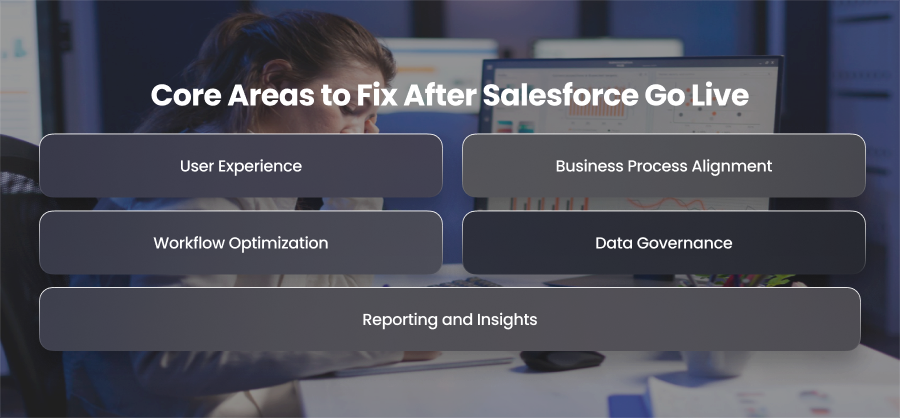
User Experience
User experience is often the first thing that needs attention after going live. During implementation, page layouts are typically designed based on assumptions about how users will work. In practice, users may find screens cluttered or navigation confusing. Too many fields or poorly organized sections can significantly slow down daily tasks.
Optimizing the user interface involves simplifying page layouts and tailoring views based on user roles. Utilizing Lightning features like as dynamic forms and customizable navigation may dramatically increase usability.
Business Process Alignment
Salesforce should reflect how your business actually operates, not an idealized version created during implementation. After going live, it’s common to discover that certain workflows don’t align with real world scenarios or fail to accommodate exceptions.
Optimization in this area involves reviewing end to end processes like lead management and case handling. Unnecessary steps should be eliminated and processes standardized where possible. When Salesforce supports real workflows instead of forcing users to adapt, productivity improves, and resistance decreases.
Workflow Optimization
One of Salesforce’s biggest advantages is automation, but it’s also frequently the cause of post going live problems. Multiple processes and triggers may overlap or clash, generating unexpected behavior or performance difficulties. Automation may occasionally prevent users from storing records or cause problems that are hard to fix.
Moreover, optimization requires auditing all automation to identify redundancies and inefficiencies. Legacy workflows should be consolidated or migrated to Salesforce Flow and error handling should be added where needed. Well designed automation enhances efficiency without compromising user experience.
Data Governance
Clean and reliable data is essential for Salesforce to deliver value. After going live, organizations often face issues such as duplicate records and incomplete information. These issues make daily operations more challenging and erode confidence in reporting and dashboards.
Optimization efforts should focus on data purification and creating explicit data standards. Validation rules and ownership guidelines help maintain data quality over time. By putting governance standards into place, data accuracy is maintained even when new users and procedures are added.
Reporting and Insights
Many Salesforce organization relies after going live that their reportimg setup doesn’t provide meaningful insights. Reports can be based on assumptions that no longer apply, or dashboards may offer too much information without clear context.
Aligning reports with existing company objectives and key performance indicators is a fundamental component of reporting optimization. Managers and sales representatives can view the KPIs that are most important to them thanks to role-based dashboards. Leadership is encouraged to rely on Salesforce for decision-making when report performance and accuracy are improved.
Best Practices for Ongoing Salesforce Optimization
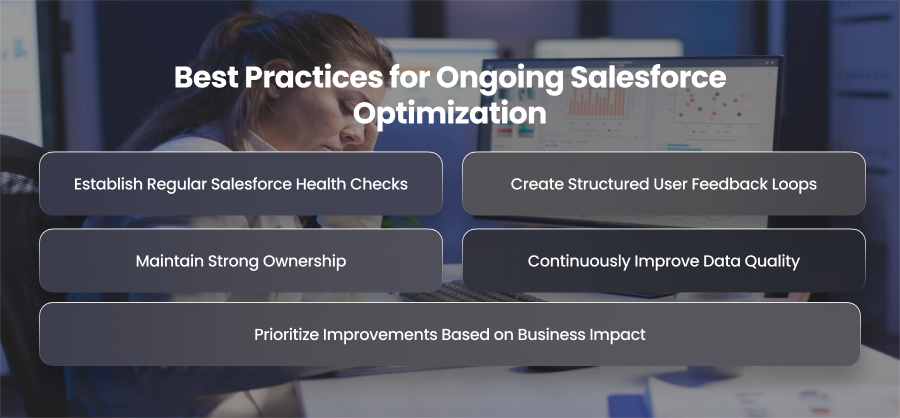
Establish Regular Salesforce Health Checks
Regular Salesforce health checks are essetial to issues before they escalate. System performance and user adoption patterns should be evaluated in these reviews. Organizations may proactively identify inefficiencies and underutilized features by doing quarterly health checks. As Salesforce evolves, regular assessments assist guarantee that it stays steady and in line with corporate objectives.
Create Structured User Feedback Loops
Users are frequently the first to identify problems with Salesforce since they engage with it on a regular basis. However, important insights are quickly lost in the absence of an organized method for gathering and analyzing input. Establishing regular feedback loops, allows organizations to identify reccuring pain points and prioritize improvements. Users’ trust in Salesforce rises and adoption improves when they see their input transformed into significant improvements.
Prioritize Improvements Based on Business Impact
Not all optimization requests carry equal value. A clear prioritizing system that considers business effect rather than just immediacy is necessary for ongoing improvement. Priority should be given to improvements that improve data accuracy or boost revenue visibility. Organizations may provide ongoing value without overburdening users or administrators by striking a balance between short term gains and long term improvements.
Maintain Strong Ownership
Clear ownership is critical for sustained Salesforce optimization. Without governance, changes become reactive and difficult to manage. Defining roles for decision making and system ownership ensures Salesforce changes in a controlled and strategic manner. Governance also helps manage technical debt and prevent unnecessary customization over time.
Continuously Improve Data Quality
Data quality demands ongoing effort and is not a one time accomplishment. As new users join, integrations expand and data inconsistencies naturally emerge. Ongoing optimization involves evaluating data completeness and revising governance policies. Frequent data audits provide trustworthy insights throughout the company and help preserve confidence in Salesforce reporting.
Final Words
Salesforce success doesn’t end with going live. The platform is kept in line with actual processes and evolving company objectives through ongoing optimization. Therefore, companies can turn Salesforce into a scalable, reliable system that reliably produces long-term value and quantifiable ROI by improving user experience and automation.