




According to statistics, 17,900 companies use Next. Primarily, Next is used in React. Moreover, Next has consistently changed to meet the growing demands of web development. As businesses expect faster and highly interactive applications, frameworks must adapt to support new architectural patterns.
One of the most significant updates introduced in recent versions of Next is the App Router. It’s a modern routing system designed to improve performance and application stability.
In this guide, we will discuss in detail what App Router is. We will also discuss its benefits and limitations.
What is the App Router?

The AppRouter is a modern routing system introduced by Next.js to better support today’s application requirements, such as improved performance and scalable architecture. Additionally, by using server first rendering and more adaptable routing patterns, it signifies a departure from the conventional Pages Router.
Fundamentally, the App Router is based on the /app directory, which takes the role of the /pages directory as the main route definition location. The App Router allows developers to organize apps using nested folders and components that more closely resemble real world user interfaces, as opposed to depending just on page level routing.
Server Components as the Foundation
The App Router’s native support for React Server Components is among its most significant features. By default, App Router components operate on the server, which means they run before any code is transmitted to the browser. Performance is improved by delivering significantly less JavaScript to the client in this way.
Server components also simplify data fetching. Developers can access databases or backend services directly within components without exposing sensitive logic to the client. This eliminates the need for complex client side data fetching patterns and improves security.
File Based Routing with Enhanced Flexibility
The App Router is far more flexible than the Pages Router, even though it still employs file based routing. Folder organization defines routes, and files like loading.js and page.js can be found in any folder. With this method, developers may distinguish between UI and behavior issues with clarity.
Nested routing is a key improvement. Developers can create deeply nested routes that share layouts and state, making it easier to build complex dashboards and multi step flows.
Reusable UI Structures
The App Router introduces layouts. Layouts allow developers to define persistent UI elements that remain consistent across route changes. The App Router automatically maintains layout throughout navigation, in contrast to conventional methods that required human layout management.
By cutting down on pointless re renders, this not only boosts performance but also improves user experience. It means simpler long term maintenance and cleaner code for development teams.
Improved Data Caching
The App Router introduces a more intuitive and powerful data fetching model. Data can be fetched directly inside server components using standard JavaScript functions and Next automatically handles caching.
This simplifies data management while giving developers fine grained control over performance. It also reduces reliance on external state management libraries for common use cases.
Why Developers are Considering the App Router?
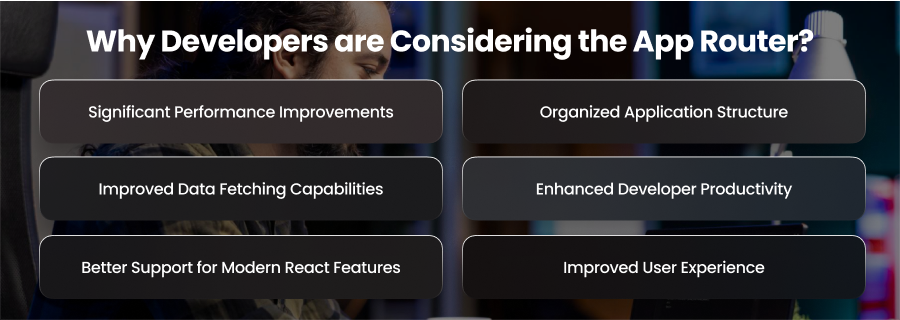
Significant Performance Improvements
The App Router’s potential to improve application speed is one of the main reasons developers are using it. Due to the massive JavaScript bundles that are transmitted to the browser, traditional client-heavy apps sometimes experience poor loading times. The App Router reduces these issues by prioritizing server side rendering through server components.
Applications can reduce the amount of JavaScript they transmit to the client by shifting the data collection and rendering process to the server. This results in faster site loading and improved responsiveness. Additionally, the streaming feature improves perceived performance and ensures that users can interact with the software sooner by letting information load gradually.
Organized Application Structure
Developers appreciate the App Router because it introduces a more structured and intuitive project organization. The nested layout system allows developers to define reusable layouts and UI components that remain consistent across different routes. This reduces repetitive coding and simplifies application maintenance.
Clearly separating layouts and components helps development teams manage large projects more efficiently. The well structured program also makes it easier to onboard new developers because they can quickly understand the connections between different components.
Improved Data Fetching Capabilities
The App Router introduces a more efficient and flexible approach to data fetching. Developers can fetch data directly within server components, eliminating the need for complex client side state management in many cases. This reduce development complexity by allowing data to be processed closer to the source.
Built in caching and revalidation features further enhance data handling. Developers may often control the frequency of data updates while preserving software responsiveness. These improvements allow teams to focus more on business logic rather than managing data synchronization problems.
Enhanced Developer Productivity
Because it eliminates the need for manual configuration and specific routing logic, the App Router optimizes development operations. Instead of managing the complexity of the infrastructure, developers may concentrate on creating features.
Development time is decreased by features like built in loading states and automated layout persistence. The improved tooling and standardized architecture also promote consistency across projects, which helps teams maintain code quality.
Better Support for Modern React Features
The App Router’s architecture skillfully incorporates the latest React innovations, such as concurrent rendering. These technologies have made it possible for applications to create more seamless user experiences and more efficiently complete complex rendering tasks.
The App Router makes sure that apps stay ready by conforming to the latest React architecture. New React capabilities can be used by developers without requiring significant reworking or compatibility changes.
Improved User Experience
User experience is becoming a top priority for developers, and the App Router has a number of capabilities that directly improve it. Applications can show material gradually thanks to streaming. Smoother transitions are produced via layout persistence, which stops needless UI refreshing during navigation.
Applications feel quicker and more responsive thanks to these enhancements, which may greatly increase user engagement.
Limitations to Consider Before Adoption
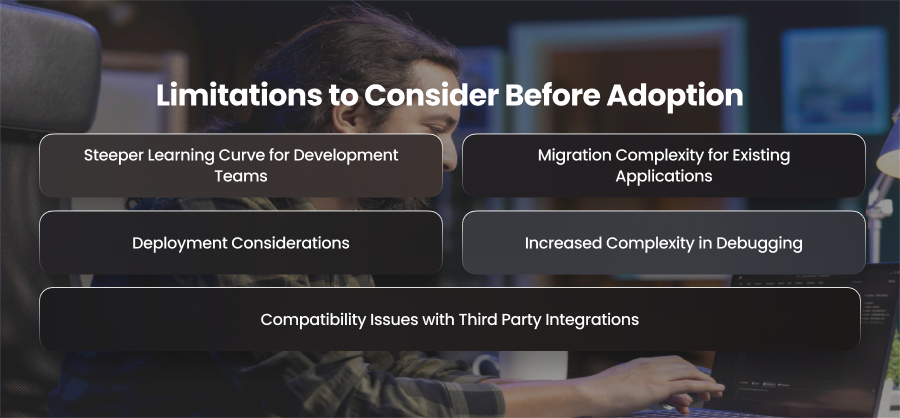
Steeper Learning Curve for Development Teams
One of the most common challenges teams face with the App Router is the learning curve. Concepts such as server components and nested layouts represent a significant shift from traditional React and the Pages Router model.
Developers must understand where code runs and how data flows between the server and client. Teams unfamiliar with server side rendering or modern React patterns may initially struggle, which can slow down development velocity during early adoption.
Migration Complexity for Existing Applications
For existing Next applications built using the Page Router, migration can be complex. While Next allows both routing systems to coexist, shared logic in the App Router often requires refactoring.
Some patterns commonly used in the Pages Router, like certain data fetching methods or global state assumptions, don’t translate directly. Large applications may need a phased migration strategy, which adds planning overhead and increases maintenance complexity during the transition period.
Compatibility Issues with Third Party Integrations
Not all third party libraries are fully compatible with server components or the App Router’s architecture. Workarounds or required client components could be necessary for libraries that mostly rely on client-side execution or browser-only APIs.
Architectural compromises may cause some parts of the application to become less optimal than expected. Additionally, developers might have to put in additional work to determine whether a library is compatible or to replace dependencies that don’t align with the App Router concept.
Increased Complexity in Debugging
The separation between client and server components introduces new debugging challenges. Errors can occur on the server or at runtime in the browser. This makes it harder to trace issues quickly.
A more careful setup is needed for logging and performance monitoring. Developers must also exercise caution when incorporating browser specific APIs into server components, since this might lead to unnoticeable runtime problems.
Deployment Considerations
Server heavy architectures can introduce new infrastructure considerations. Applications using the App Router may rely heavily on server resources and hosting environments that support advanced rendering features.
When Should Businesses Consider Adopting the App Router?
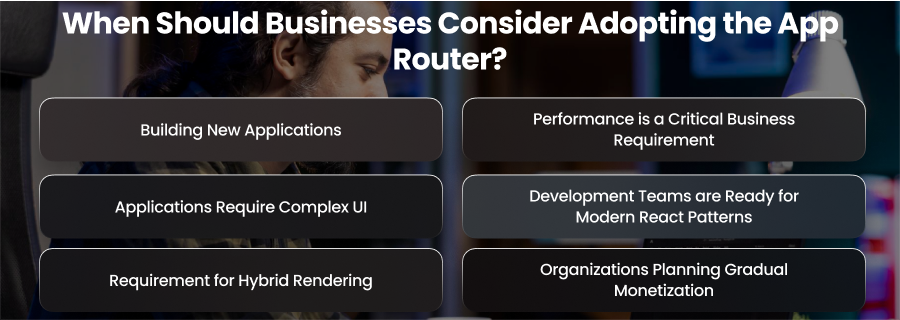
Building New Applications
One of the best scenarios for adopting the App Router is when businesses are developing new applications. Starting with the App Router allows development teams to utilize modern architecture without dealing with migration complexities later.
From the start, new applications may make full use of server components and enhanced data fetching techniques. This guarantees a scalable and hygienic base that complies with modern web development guidelines. Businesses can gain from lower technical debt and better long-term maintainability when they introduce new digital platforms and SaaS offerings.
Performance is a Critical Business Requirement
Adopting the App Router is highly recommended for companies that depend significantly on responsive user experiences and quick load times. Real time platforms and eCommerce are two examples of industries that frequently need apps that can efficiently manage high visitor levels and provide content promptly.
Server components and streaming features help reduce client side processing and improve perceived performance. Moreover, faster loading applications not only improve user satisfaction but also increase rates and customer retention.
Applications Require Complex UI
Large scale applications often include dashboards and multiple navigation layers. The App Router’s nested layouts and modular routing structure make it easier to manage complex user interfaces without duplicating code.
Businesses developing enterprise platforms or multi service applications can benefit from improved UI consistency and easier code maintenance. The structured architecture also helps development teams scale applications as business requirements change.
Development Teams are Ready for Modern React Patterns
The App Router aligns closely with the latest React advancements. So, businesses with development teams already familiar with modern React concepts can adopt the App Router more smoothly.
Teams experienced in server side rendering and performance optimization can quickly utilize the App Router’s capabilities to build high quality applications. Organizations investing in developer training and innovation may also find the App Router beneficial.
Requirement for Hybrid Rendering
Many modern applications require a mix of static and dynamic content. Because of the App Router’s capability for hybrid rendering, companies may pre render static pages and then dynamically create customized content as needed.
SaaS apps and eCommerce platforms that need to strike a balance between user-specific experiences and performance will love this flexibility.
Organizations Planning Gradual Monetization
Businesses with existing Next applications don’t always ned to fully migrate immediately. The App Router allows organizations to adopt modern features gradually while maintaining existing functionality through the Page Router.
Final Words
The App Router represents a major advancement in modern web development. It provides enhanced developer productivity and performance. Businesses who strategically implement it may create applications more quickly and sustainably, even when it presents new ideas and migration issues.