



According to a survey, 80% of data managers experienced one outage in the last few years. Whether it’s moving from on premise systems to the cloud or consolidating data after a merger, outages can cause severe disruption to business operations.
But businesses must likewise move their data. Data loss or system failures might be caused by even a tiny mistake. The margin for mistakes is very limited for businesses managing massive amounts of mission critical data.
This is why modern businesses no longer view data migration as a simple exercise. Rather, to guarantee zero data loss, strategic planning and best practices are needed. The difficulties of data migration will be discussed in this guide. We will also discuss the best practices that result in effective and seamless migrations.
Challenges in Data Migration Projects
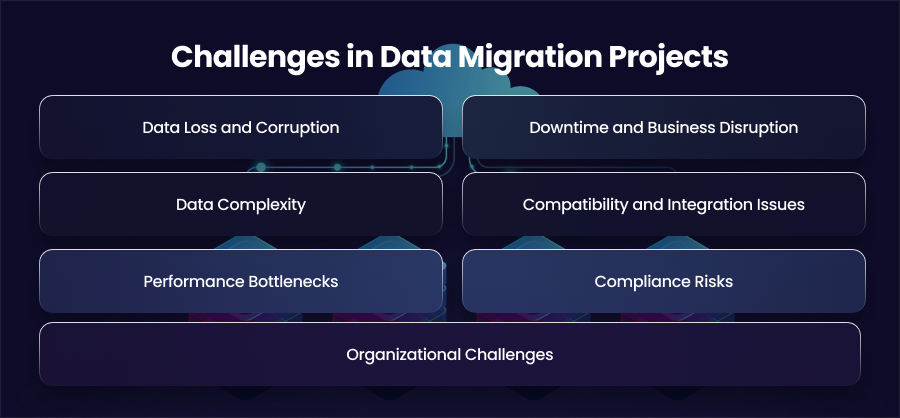
Data Loss and Corruption
The possibility of data loss or corruption is one of the main issues with any data migration. Even little data format mismatches or mapping mistakes may cause missing records or damaged entries when moving massive amounts of data across systems. For example, differences in data types or formats across the systems may gradually damage important data.
Downtime and Business Disruption
Reducing downtime is another major problem. Certain migration techniques require taking systems completely offline, which can cause operational disruptions and lower income. Customer satisfaction and service level agreements can be impacted by even brief interruptions. Maintaining business continuity is a must for mission critical applications. This makes it necessary to plan migrations during low traffic periods.
Data Complexity
Modern enterprises manage vast amounts of data stored across multiple platforms. Structured databases and cloud based repositories must all be considered in migration planning. It may be quite difficult to migrate this heterogeneous data while maintaining connections and linkages. Large data collections also require a lot of bandwidth and processing power. Incomplete transfers or performance bottlenecks can also arise from poorly scaled migrations.
Compatibility and Integration Issues
Compatibility between source and target systems is another major challenge. Differences in database engines or cloud infrastructures can cause schema mismatches or failed transformations. Integration issues also arise when target systems rely on different APIs or data formats. Without proper mapping and testing, migrated data can become unusable or require extensive manual adjustments. This delays project timelines.
Performance Bottlenecks
Infrastructure resources are frequently heavily taxed during data transfers. Running migration procedures and live activities at the same time might cause system slowdowns and deteriorate user experience. Performance limitations may have an effect on batch processing and reporting workflows. Making arrangements for enough hardware resources and load balancing is essential to preventing migration from negatively impacting system performance.
Compliance Risks
Data migration presents security challenges since it involves the transfer of sensitive customer or business data between environments. Unsecured transfers may lead to noncompliance. Organizations that are subject to tight regulations must also exercise prudence when handling encryption and audit trail migrations.
Organizational Challenges
Migration projects often face internal challenges. This includes limited expertise and poor communication between different teams. Complex migrations require coordination across multiple teams and careful documentation. Without the resources and collaboration, projects can quickly fall behind schedule.
What Should Be Your Pre Migration Planning?
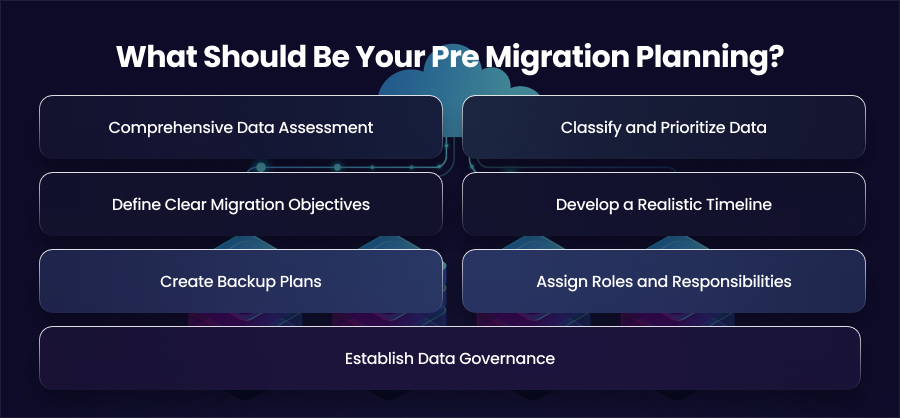
Comprehensive Data Assessment
Conducting a thorough assessment of your current data is the first stage in pre migration planning. Organizations need to understand what data is accessible and how it is used. This means identifying databases, older systems, and the data structures they hold. A thorough assessment reveals redundancies and potential data quality issues. This allows teams to clean and streamline datasets before migration. Moreover, understanding dependencies between systems is also critical, as certain applications can rely on real time access to specific data during the transition.
Classify and Prioritize Data
Not all data carries the same level of importance. Pre migration planning involves categorizing data based on its business value and sensitivity. Prioritizing and migrating mission critical data and operational logs should come first. However, if they are no longer required, historical data or non essential information may occasionally be moved later or even abandoned. Even if there are small delays in the transfer process, prioritization guarantees that the most crucial data is retained.
Define Clear Migration Objectives
You should set clear and measurable objectives for guiding the migration process. Objectives might include zero data loss or zero downtime. Moreover, defining success criteria helps teams measure progress and make informed decisions if challenges arise.
Develop a Realistic Timeline
Timelines for migrations should take into account the project’s complexity. While taking too long might increase expenses and tie up resources, hurrying the procedure can increase mistakes. Data evaluation, cutover, and backup time for unforeseen problems are all taken into consideration in a well planned timeline. For big datasets, phased or gradual migration procedures are frequently used because they minimize disturbance to existing business activities while enabling teams to move vital data first.
Create Backup Plans
Problems might occur even with the most careful preparation. It is important to have a full and safe backup of all source data. Depending on the migration strategy, backup plans may involve real time replication or complete system snapshots.
A rollback mechanism should also be developed to restore systems to their pre migration state in the event that problems occur during the migration. These safeguards provide minimal disturbance to business operations.
Assign Roles and Responsibilities
Coordination between IT teams and data engineers is necessary for the cross functional task of data migration. Roles should be well defined in pre migration planning, including who will be in charge of extraction and problem solving. During the migration process, assigning duties guarantees responsibility and avoids bottlenecks. Frequent updates and team check ins also aid in the early detection of any problems. This makes it possible to appropriately take remedial actions.
Establish Data Governance
Organizations should make sure that appropriate data governance rules are in place before starting a migration. For any dataset, this entails establishing ownership and retention guidelines. It’s also essential to review and integrate compliance requirements into the migration plan. At this point, being ready for governance and compliance guarantees that private information is safeguarded during the move and lowers the possibility of legal infractions.
How to Choose a Data Migration Strategy?
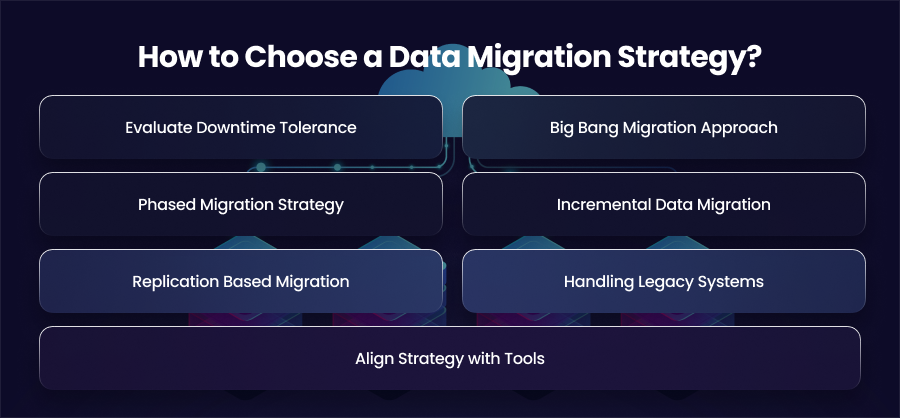
Evaluate Downtime Tolerance
Businesses need to determine how much downtime they can actually handle before choosing a relocation plan. Even a few minutes of downtime might result in lost revenue for customer facing apps. In these circumstances, strategies that enable continuous availability are often necessary. Short scheduled outages may be possible using internal tools or non critical systems.
Big Bang Migration Approach
The big band migration strategy involves moving all data at once within a defined migration window. Typically, system are taken offline and the new system goes live after validation. This method has a higher risk since any failure impacts the entire dataset, even if it may be quicker and simpler to handle. Big bang migration is best suited for small datasets or applications with low usage and minimal downtime sensitivity.
Phased Migration Strategy
Phased migration divides the data migration process into smaller stages. Data is moved module by module or dataset by dataset rather than all at once. This strategy lowers risk and enables systems to function partially throughout the procedure. Furthermore, sophisticated enterprise systems where minimizing disruption is a high concern are best suited for phased migration.
Incremental Data Migration
Data is sent gradually in tiny batches as part of incremental migration. Periodic updates that sync just newly added or updated data come after initial data loading. This strategy significantly reduces system strain and supports near zero downtime. Incremental migration is particularly effective for large scale databases and systems that must remain operational throughout the transition.
Replication Based Migration
Replication based migration uses specialized tools to continuously synchronize data between the source and target systems. Changes made in the source system are replicated in real time. This keeps both environments in sync. The final cutover may be accomplished with little interruption once data consistency has been verified. This approach is frequently employed for high availability systems and cloud migrations where there must be no downtime.
Handling Legacy Systems
Because of their out of date formats or specially designed architectures, legacy systems can provide particular difficulties. The plan must take into consideration significant data transformation and schema redesign while moving from legacy platforms.
Align Strategy with Tools
The organization’s resources and knowledge should be in line with the migration plan that is selected. Certain methods call for sophisticated automation. To lower risk, you should collaborate with migration specialists or use managed services if internal teams are inexperienced with complicated migrations.
Best Practices for Data Migration
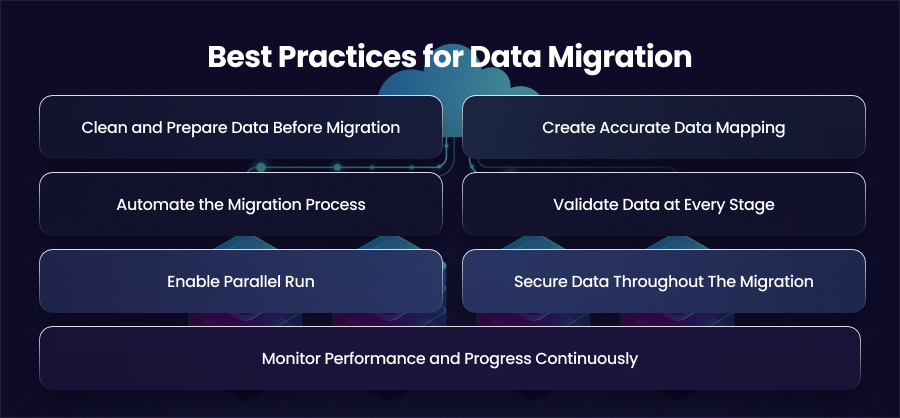
Clean and Prepare Data Before Migration
Data migration is the perfect opportunity to improve data quality. Over time, systems accumulate duplicate records and unused data. Migrating this clutter increases complexity and cost while offering little business value. Organizations should clean up and standardize data by eliminating duplicates before migration starts. In addition to lowering migration mistakes, clean data enhances the target system’s usability and performance.
Create Accurate Data Mapping
Accurate data mapping between source and destination systems is one of the most important best practices. Schema and connection differences need to be thoroughly examined and recorded. Transformation rules shoud be clearly defined to handle format changes and validation constraints. Also, poor mapping also leads to missing fields or inaccurate reporting after migration.
Automate the Migration Process
Manual migration processes are error prone and difficult to scale. Automation significantly improves accuracy. Migration scripts and tools can can automate extraction and validation tasks while maintaining detailed logs. Furthermore, automation also allows teams to repeat migration steps reliably across development and production environments. This consistency is essential for large or complex migrations where manual intervention increases risk.
Validate Data at Every Stage
Data validation should not be treated as a final step, it must occur throughout the migration lifecycle. Pre migration validation confirms record counts and business rules. Reconciliation reports and automatic validation technologies help identify discrepancies early. This reduces the likelihood that unnoticed data errors might affect how companies function.
Enable Parallel Run
Running source and target systems in parallel is a best practice for minimizing risk. Parallel runs allow teams to compare outputs and confirm performance before final cutover. Dual write mechanisms ensure that no updates are missed during migration. These techniques support near zero downtime and provide a safety net if issues arise.
Monitor Performance and Progress Continuously
Real time monitoring is essential during migration. Monitoring tools track data transfer rates and performance metrics. Teams can find bottlenecks and react quickly to failures when there is continuous visibility. In the absence of regular monitoring, little problems may grow into significant disruptions before they are identified.
Secure Data Throughout The Migration
Security should be incorporated at every level of the migration process. To prevent unwanted access, data must be encrypted both in transit and at rest. Role based access limitations, on the other hand, limit who can access or modify personal data. For compliance, audit logs’ traceability and accountability are essential.
Final Words
Moving data is only one aspect of a successful data transfer; meticulous preparation and best practices are also necessary. Businesses may therefore achieve little downtime and zero data loss by addressing issues early.