



78% of businesses already use AI for at least one commercial function, according to AI statistics. This is due to customers’ expectations for AI powered and customized experiences. As a result, full stack AI development is becoming increasingly popular.
Developers now merge traditional full stack principles with AI driven functionality. Furthermore, React, Python, and LLM APIs are the best tech stack for full stack AI development. When combined, they offer a potent mix that enables the development of programs that can comprehend natural language and automate difficult activities.
We will go over how these technologies interact and how to create your own full stack AI application from the start in this guide.
What is Full Stack AI Development?
Full stack development refers to the integration of AI capabilities across both the frontend and backend of an application. Moreover, it’s not just about calling an AI API; it’s about designing the entire architecture so that AI becomes a core part of how the system functions.
In traditional full stack development:
- The frontend handles the user interface and experience.
- The backend manages the data, logic, and APIs.
- The database stores information for processing and retrieval.
In full stack AI, we add a new layer called the intelligence layer, powered by LLMs such as GPT 4 or Claude. This layer allows the app to reason and generate natural language responses or even perform decision making tasks.
For example:
- A frontend React app captures user input like “Summarize this report.”
- The backend Python server sends the request to an LLM API.
- The LLM processes the text and returns a summary.
- The frontend then displays the intelligent response in real time.
Why React, Python, and LLM APIs Make a Perfect Trio?
React
For developers creating captivating and responsive web interfaces, React has emerged as the top option. Additionally, because of its component based architecture, developers may create reusable and modular components that greatly simplify the scalability and upkeep of complex programs. This method works particularly well for AI powered systems that must present created content or changing data.
React’s virtual DOM can improve rendering and guarantee smooth updates when new data is sent from the backend. As a result, it is perfect for AI applications like chatbots or content creators that depend on constant user involvement. Without having to reload the site, developers may quickly show replies to input requests.
Furthermore, handling application states like API calls or AI generated results is made easier by React’s easy interface with hooks like useState and state management frameworks like Redux. Additionally, React provides all the tools you need to develop intelligent user experiences. This includes visualization tools like Recharts and style frameworks like Tailwind CSS.
Python
Python is the computational and logical engine behind the scenes, while React manages what users see and interact with. It is also one of the most flexible languages for developing backend systems and AI integrations due to its ease of use and wide ecosystem. In full stack AI applications, Python is in charge of organizing data processing and frontend interactions with AI models.
Python is excellent in this capacity because of frameworks like Django and FastAPI, which make it easier to create safe and effective APIs. These frameworks let developers build endpoints that receive user prompts from React and then send them to LLM APIs. They then return structured responses. Python is also the most popular language for data science, making it easy to integrate machine learning workflows or carry out extra server side analytics.
Another major advantage of Python is its support for asynchronous programming. With frameworks like FastAPI, multiple AI requests can be processed concurrently. This reduces response times and improves user experiences. Python also offers strong tools for data preprocessing and response formatting, ensuring that every interaction with the LLM is optimized for relevance. Ultimately, Python acts as the AI orchestrator of the stack. It manages data flow and ensures security.
LLM APIs
At the core of every AI application is the intelligence that makes it capable of understanding and reasoning with natural language. This is where LLMs can help. By integrating APIs from providers like OpenAI, AI developers can add sophisticated language understanding and generation capabilities to their apps without needing to train or host their own models.
LLM APIs act as the intelligent layer of the full stack architecture. They process the user prompt and return meaningful outputs such as text or even strategic recommendations. For instance, an LLM can generate a personalized email draft or assist in writing code, all in response to user input from the React frontend. The Python backend handles the communication, ensuring secure API calls and formatting of the model’s responses before sending them back to the UI.
One of the biggest advantages of using LLM APIs is scalability. Developers may use cutting edge intelligence without worrying about computing infrastructure or upgrades because these models are hosted by large AI companies. Prompt engineering also gives developers control over tone and style, allowing the AI’s behavior to be tailored for certain business requirements. LLM APIs offer the cognitive foundation that powers an application’s intelligence, whether you’re developing a knowledge retrieval system or a conversational bot.
How to Build An AI App with React, Python, and LLM APIs?
Set Up the Development Environment
Building a reliable development environment that supports both the frontend and the backend is the first step in developing full stack AI. Installing Node is the first thing you should do. On the backend, install Python and a virtual environment manager such as venv.
Additionally, you’ll need necessary libraries like Flask for backend development and fetch or axios for React API requests. To protect sensitive data while integrating LLM APIs, make sure your API keys are set up correctly in a .env file. Lastly, since Docker makes deployment easier and guarantees that your development environment is identical to production, think about utilizing it for containerization.
Use Python for Building the Backend
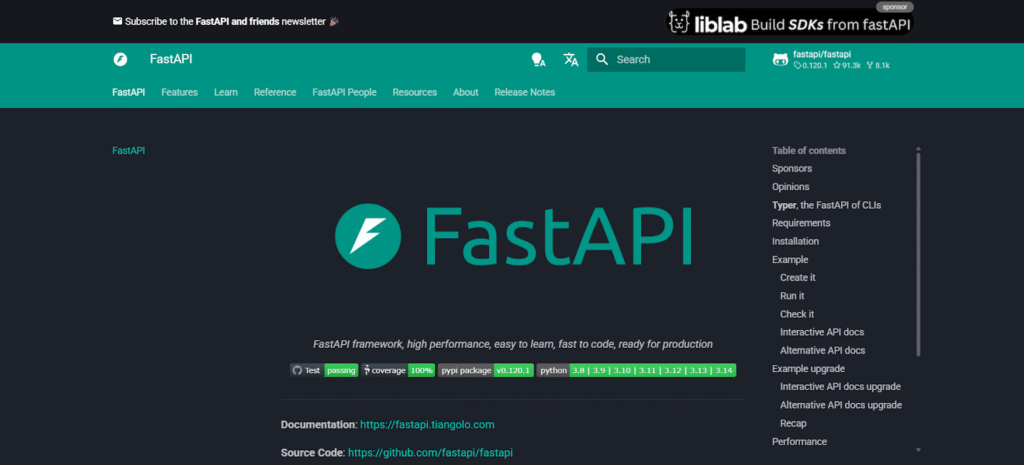
Python serves as the foundation for your AI app’s backend and interaction with LLM APIs. You may create RESTful endpoints that handle user input and provide AI replies by using FastAPI.
For instance, the backend submits a request to an LLM API and delivers the processed result when a user inputs a prompt via the frontend. LangChain may also be used to combine many AI models or coordinate LLM procedures.
Additionally, Python can handle more complex AI functions, such as preprocessing data or fine tuning models. For a scalable structure, divide your backend into modules for authentication and database management. You should use libraries like SQLAlchemy for database communication and Celery for background tasks like caching responses or processing user logs.
Create the Frontend with React
The next stage is to use React to develop an intuitive and responsive frontend after your backend is operational. Performance and ease of use are crucial since this is where people engage with your AI system.
Start by scaffolding your app using Vite. Then, build components for your interface, such as input fields and result displays. Use React Hooks to manage user inputs and real time data updates.
The native fetch API or HTTP requests are used by the React frontend to interact with the Python backend. React sends queries to the backend endpoint and shows the LLM’s answer each time a user submits one.
Integrate LLM APIs for Smart Functionality
The next step is to integrate LLM APIs into your stack. These APIs act as intelligence engine behind your application, generating responses, and enabling reasoning or summarization capabilities.
Using the OpenAI API, for instance, you can connect your backend models like GPT 4. The backend sends user queries as API calls and receives structured responses. Moreover, you can customize parameters like max tokens and response style to control the model’s behavior.
To make integration efficient, wrap the API interaction in a dedicated Python module. This keeps your codebase clean and allows for eacy switching between AI providers. You can even introduce multi model orchestration, where one LLM handles summarization while another deals with sentiment analysis or data extraction. This modularity makes your AI app flexible and extensible.
Enhance the App with AI Features
It’s time to make your app smarter and more interesting after you’ve created basic functionality. The user experience and usefulness may be greatly enhanced by adding more AI functions.
To help the app recall past interactions and offer more cohesive multi turn chats, you might think about including contextual memory. This may be accomplished by feeding the context back into the LLM after saving user prompts and replies in a lightweight database like SQLite or MongoDB.
Additionally, you may use APIs like Google Speech to create speech recognition, allowing voice based communication. You should use frameworks like TensorFlow to integrate AI suggestions or predictive analytics for data intensive applications.
Test and Deploy
Before launch, thorough testing is necessary to provide a smooth and reliable user experience. To begin unit testing, use programs like Jest for React and PyTest for Python. This helps catch logical and integration errors early.
Next, you should conduct load testing using tools like Locust to evaluate your backend’s performance under stress. Since LLM APIs can be costly, optimize your API usage by implementing caching and limiting redundant requests. Redis and other similar tools can save latency and expenses by storing results that are often retrieved.
When it comes time to launch, you may decide to utilize Vercel for the React frontend and AWS for the Python backend. Docker containers may facilitate development by combining your software and its dependencies into a uniform environment. Finally, use analytics tools like Sentry to monitor your app’s performance to ensure reliability after launch.
Best Practices for Full Stack AI Development
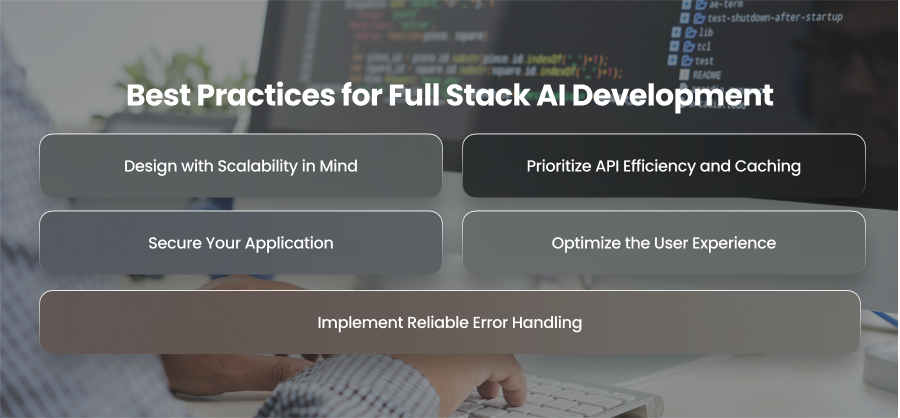
Design with Scalability in Mind
From the very beginning, your architecture should support growth and changing workloads. As data and user interactions grow, AI systems often expand quickly, thus designing for scalability is essential. Frontend, backend, and AI logic may be divided into independent levels using modular design. Hence, this makes it easier to maintain and scale each part independently. Implement asynchronous processing for tasks involving large data or LLM interactions, so users don’t experience delays.
Prioritize API Efficiency and Caching
Since AI applications often rely on external APIs such as OpenAI, efficient API management is essential. Therefore, you should avoid unnecessary API calls by implementing response caching for repeated queries.
Additionally, you should effectively handle rate limits. Set up appropriate error handling and retry logic because the majority of LLM providers impose usage constraints. You can control expenses and improve efficiency by keeping an eye on how much you use the API.
Secure Your Application
Security cannot be jeopardized when using APIs and handling user data. Use HTTPs for all communications, and save API keys securely in environment variables.
Before submitting user input to LLM APIs, verify all incoming queries on the backend to guard against injection attempts. Use frameworks such as JWT to securely handle sessions for authentication.
Implement Reliable Error Handling
Errors are inevitable, especially when dealing with third party AI services. A well designed AI should inform users appropriately when something goes wrong.
Therefore, you should create centralized error handling middleware on the backend to catch expections and return meaningful messages without exposing internal details. On the frontend, display user friendly error notifications rather than technical logs.
Optimize the User Experience
AI apps thrive when users feel the intelligence behind the interface is responsive and intutive. Moreover, you should focus on building clean and interactive UI components with React. To improve responsiveness during AI processing, you should make use of progress indicators.
Additionally, you should utilize throttling and debouncing to prevent sending numerous requests at once when users click or input fast. To make interactions feel natural, conversational AI should preserve context and include visual cues like chat bubbles and typing hints.
Final Words
Developers may construct intelligent and responsive apps with full stack AI development using React, Python, and LLM APIs. Teams can provide flawless user experiences by fusing robust AI capabilities, dynamic interfaces, and dependable backend logic.